Prepare the fields
Complete this step in the ClickSyncr interface and save the configuration.
Beehiiv integration
Connect Forminator to Beehiiv and every form submission becomes a subscriber in the publication you choose. The free ClickSyncr for Beehiiv plugin adds a native Forminator application integration:…
A clear setup path
Keep the existing form and configure the destination beside the workflow you already use.
Complete this step in the ClickSyncr interface and save the configuration.
Complete this step in the ClickSyncr interface and save the configuration.
Complete this step in the ClickSyncr interface and save the configuration.
Complete this step in the ClickSyncr interface and save the configuration.
Complete this step in the ClickSyncr interface and save the configuration.
Connect Forminator to Beehiiv and every form submission becomes a subscriber in the publication you choose. The free ClickSyncr for Beehiiv plugin adds a native Forminator application integration: connect your API key once, pick a publication, map your fields, save. So there is no code, and it takes about two minutes per form.
You need three things: the ClickSyncr for Beehiiv plugin activated, Forminator active, and a Beehiiv account with permission to create an API key. You store the key once, and every supported builder on the site then shares it.
WordPress ClickSyncr.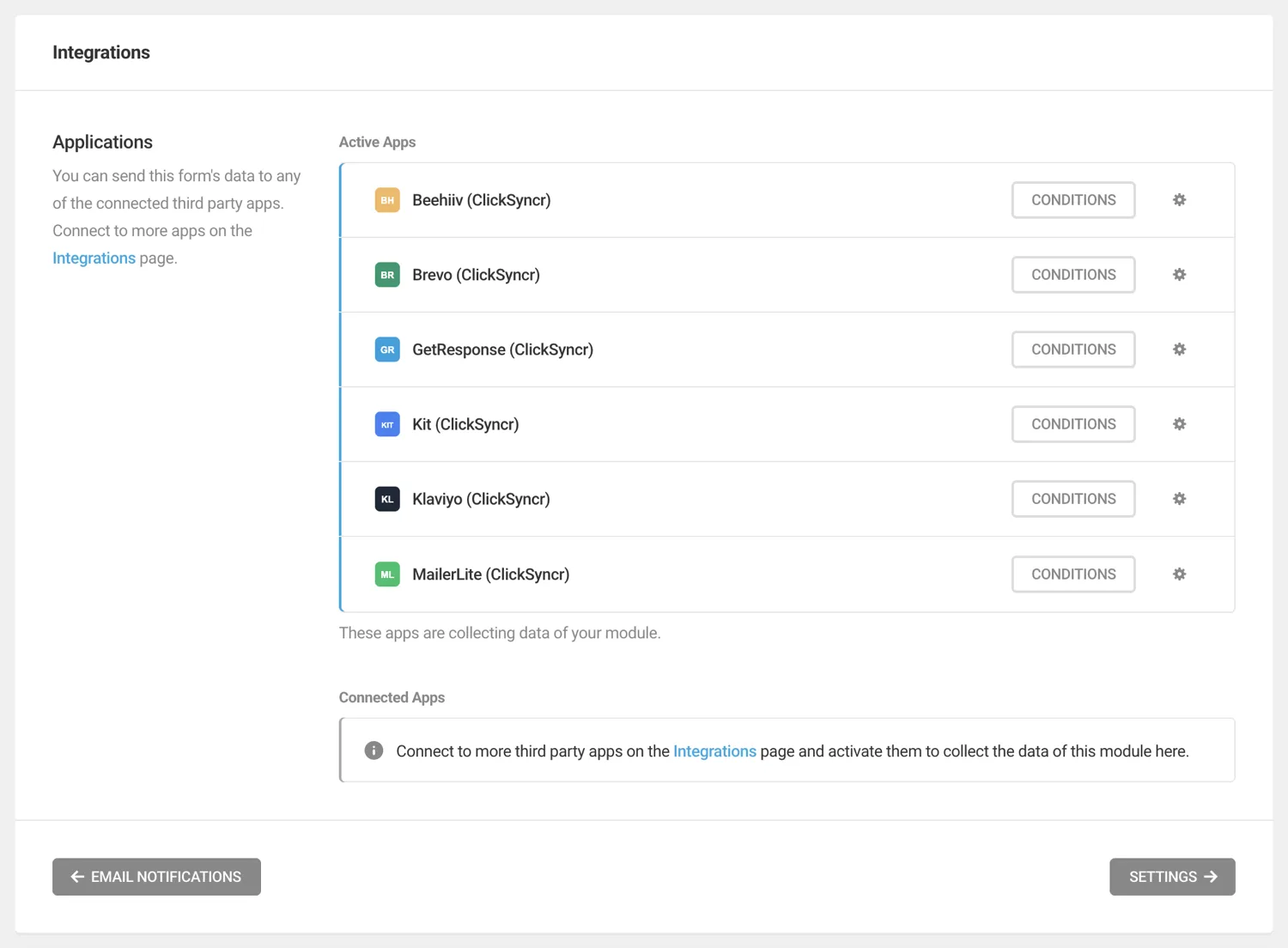
Treat the key like a password. Anyone holding it can read and modify your Beehiiv subscribers.
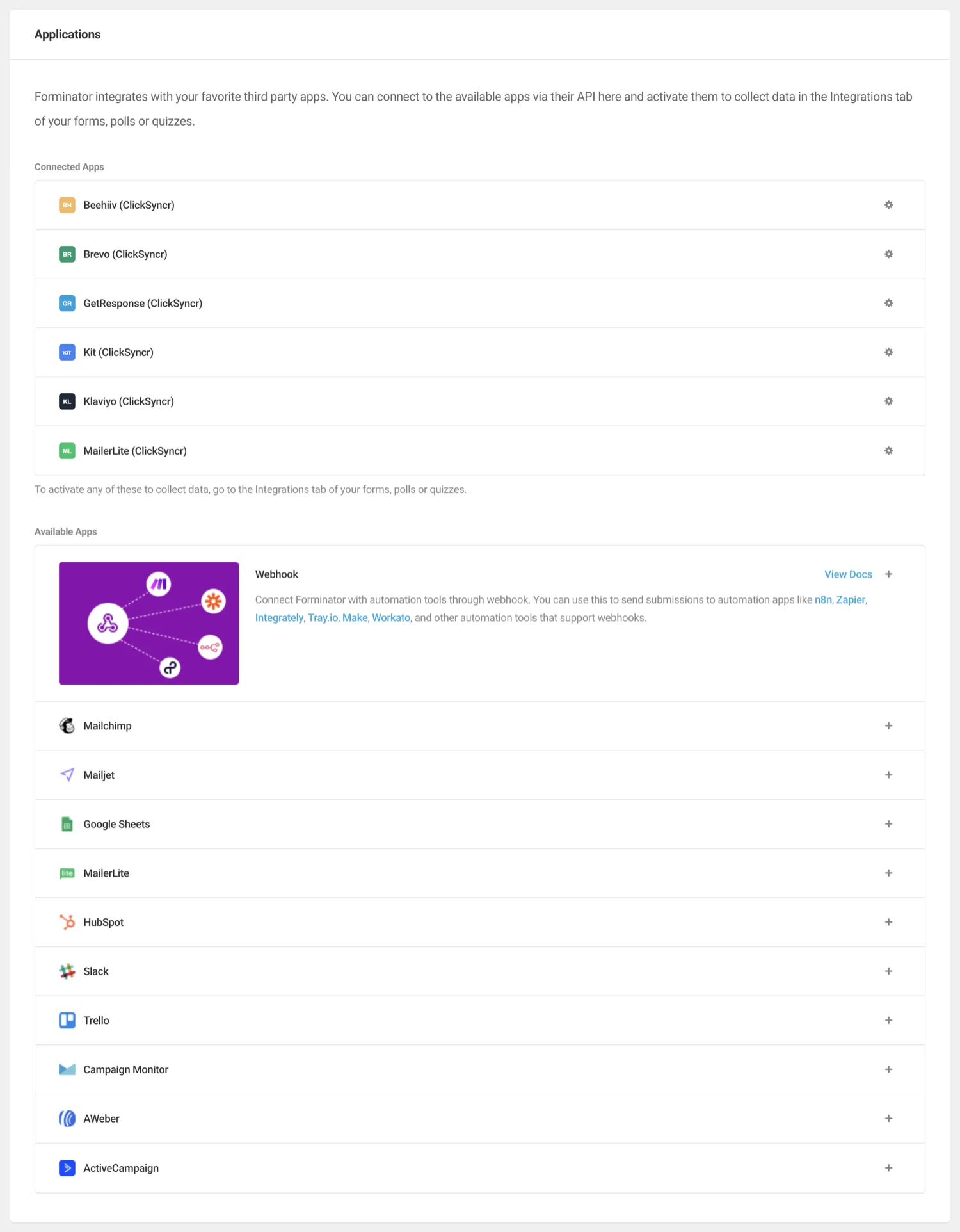
Beehiiv identifies subscribers by email, so Email is the one required mapping. Every other row maps to your publication’s custom fields, which ClickSyncr loads automatically once the key connects. Custom fields are per publication in Beehiiv; before you pick a publication the list shows the union across your account. Also, ClickSyncr simply skips an unmapped field and never overwrites existing subscriber data with a blank value.
Each form chooses a subscriber status: Active, Unconfirmed, or Use publication setting, which defers to your publication’s own opt-in behaviour. A consent field overrides it per submission: ticked syncs Active, unticked Unconfirmed. Beehiiv deduplicates by email, so it reactivates and updates existing subscribers instead of duplicating them.
First, submit the form on the front end (not the admin preview) with a test address you can recognise, filling every mapped field. Then, in Beehiiv, open your publication’s subscriber list and confirm the subscriber exists with the mapped values and the status you expect. In short, that one minute catches almost every configuration mistake.
| Symptom | Cause and fix |
|---|---|
| The publication dropdown is empty | The key is missing or mistyped, or you revoked it in Beehiiv. Re-paste it and reconnect. A key with a trailing space is the classic culprit. |
| Submissions do not appear in Beehiiv | Nine times out of ten the Email field is not mapped. It is the one required mapping. Fix it, then submit a fresh test. |
| A new publication or custom field is not listed | The catalog is cached briefly. Use the refresh control in the Forminator settings. |
| The subscriber syncs but a field is empty | Either that field is unmapped, or it was blank on the submission. ClickSyncr skips empty values, so they never wipe existing Beehiiv data. |
| A subscriber shows as Unconfirmed | The consent field was unticked, or the form’s status is set to Unconfirmed. Check the consent mapping first. |
Yes. The ClickSyncr Beehiiv application registers in the free Forminator plugin from WPMU DEV.
Yes. Forminator applies integrations per form, so only the forms you connect will sync.
ClickSyncr for Beehiiv also connects Contact Form 7 · WPForms · Gravity Forms · Ninja Forms · Fluent Forms · Formidable Forms. Overview, features and pricing: Beehiiv integration for WordPress. Browse all ClickSyncr integrations.
“Beehiiv” is a trademark of its respective owner. ClickSyncr for Beehiiv is an independent integration and is not affiliated with, endorsed by, or sponsored by Beehiiv.
Your next subscriber is one connection away
Install ClickSyncr, connect your platform, and publish your first tested sync in about two minutes.
Built by Renzo Johnson