Prepare the fields
Complete this step in the ClickSyncr interface and save the configuration.
Brevo integration
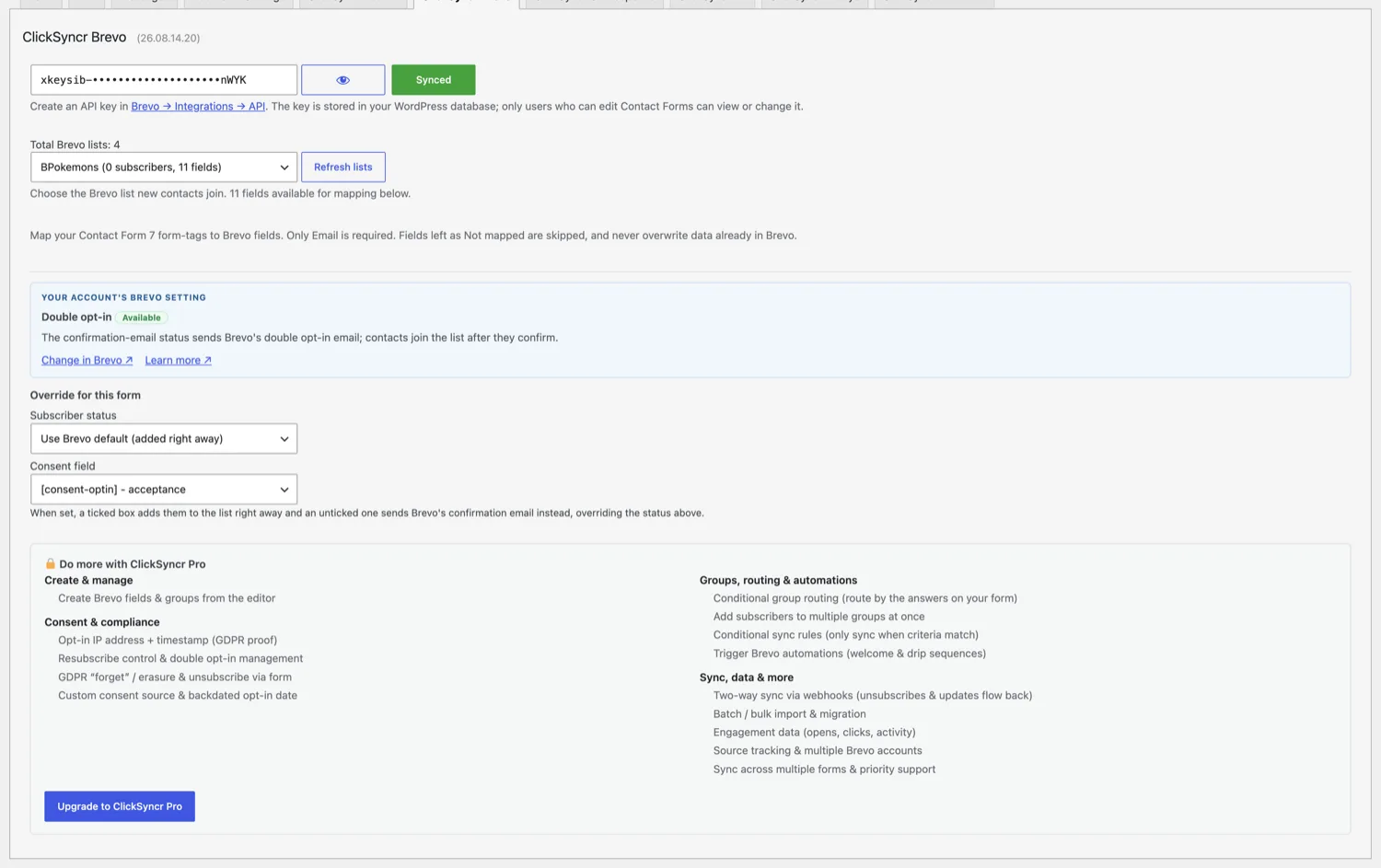
ClickSyncr for Brevo is a free Brevo integration for WordPress forms: it turns form submissions into Brevo contacts automatically. It works with Contact Form 7, WPForms, Gravity Forms,…
A clear setup path
Keep the existing form and configure the destination beside the workflow you already use.
Complete this step in the ClickSyncr interface and save the configuration.
Complete this step in the ClickSyncr interface and save the configuration.
Complete this step in the ClickSyncr interface and save the configuration.
Complete this step in the ClickSyncr interface and save the configuration.
Complete this step in the ClickSyncr interface and save the configuration.
ClickSyncr for Brevo is a free Brevo integration for WordPress forms: it turns form submissions into Brevo contacts automatically. It works with Contact Form 7, WPForms, Gravity Forms, Ninja Forms, Fluent Forms, Formidable Forms, and Forminator: whichever builder your site uses, every submission lands in the Brevo list you choose, with typed attribute mapping and no code required.
ClickSyncr integrates natively with each builder, so the Brevo settings live where you already work. Each name links to its step-by-step setup guide:
debug.log when WP_DEBUG_LOG is enabled.WordPress ClickSyncr.Treat the key like a password. Anyone holding it can read and modify your Brevo lists and contacts.
Any of them. If your site already runs Contact Form 7, WPForms, Gravity Forms, Ninja Forms, Fluent Forms, Formidable Forms, or Forminator, ClickSyncr connects the forms you already have to Brevo: there is no reason to switch builders just to grow your list. The plugin refuses to run without a supported builder present, and the sync behaves identically on all seven.
“Brevo” is a trademark of Sendinblue SAS. ClickSyncr for Brevo is an independent integration and is not affiliated with, endorsed by, or sponsored by Sendinblue SAS.
26.10.03.13
PHP 7.4 support and debug tools
Now runs on PHP 7.4 through 8.5, with improved debug tools and bug fixes.
26.09.05.11
Assets and debug tools
Improved assets loading and added debug tools.
26.09.04.18
The form panel as cards
The Brevo panel on every form is redesigned around cards: groups and fields as tiles, one explanation per setting in Brevo's own words, and the Pro rows on the same panel when ClickSyncr Pro is licensed.
26.08.14.22
Contact Form 7 panel fix
Fixes an error that broke the ClickSyncr Brevo panel in the Contact Form 7 editor in 26.08.14.20.
26.08.14.20
Seven form builders
The Brevo sync now works in seven form builders, with one shared v3 key, typed attribute mapping, and Brevo double opt-in support.
26.07.15.18
Fixes and documentation
Follow-up to the first public release: bug fixes and updated documentation.
26.07.14.21
Initial release
First public release of ClickSyncr for Brevo. Automatically sync every Contact Form 7 submission to your Brevo contact list with flexible custom-attribute mapping.
Your next subscriber is one connection away
Install ClickSyncr, connect your platform, and publish your first tested sync in about two minutes.
Built by Renzo Johnson