Prepare the fields
Complete this step in the ClickSyncr interface and save the configuration.
Kit (formerly ConvertKit) integration
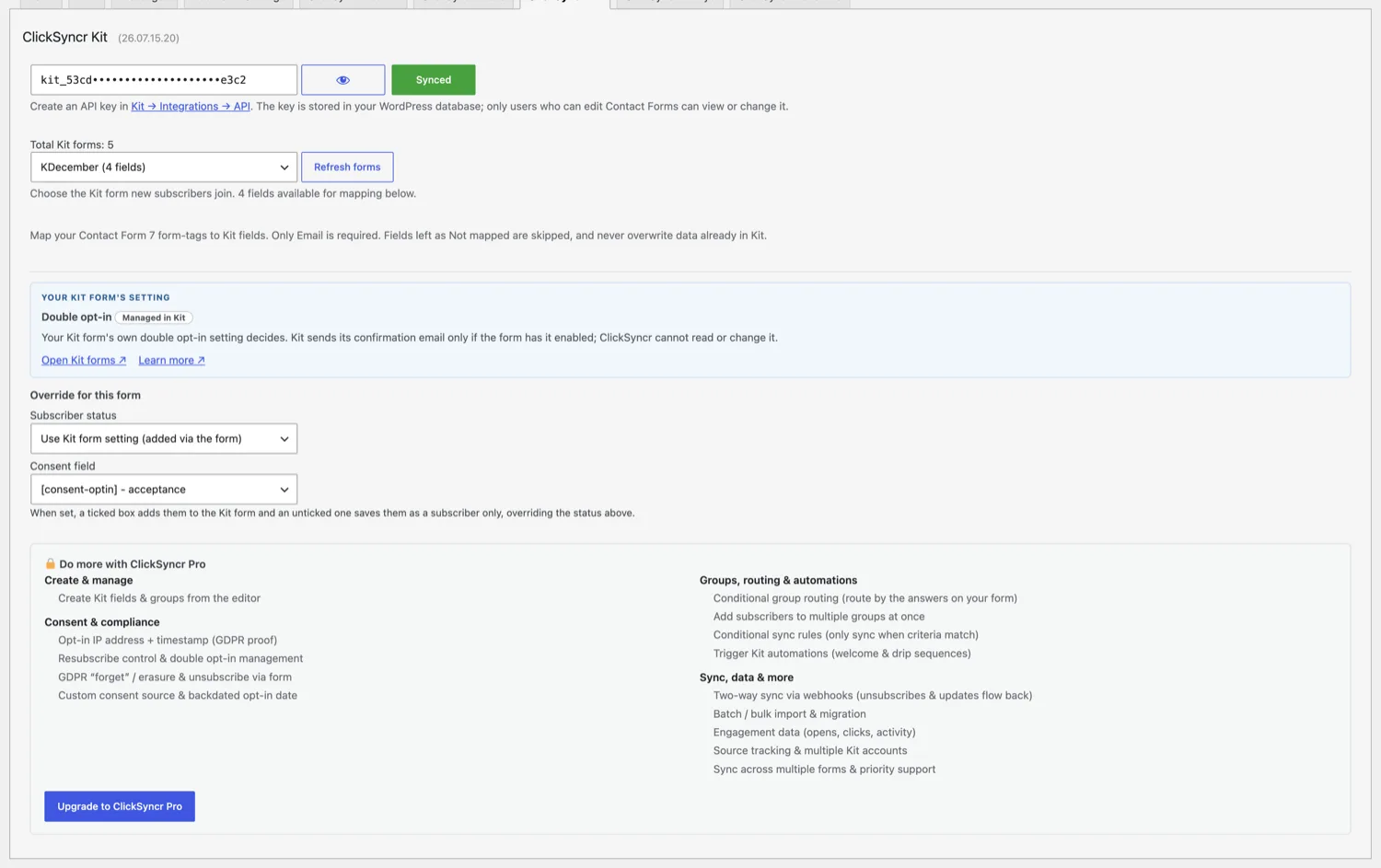
ClickSyncr for Kit is a free Kit integration for WordPress forms, and it supports every account from the ConvertKit era: it turns form submissions into Kit subscribers automatically.…
A clear setup path
Keep the existing form and configure the destination beside the workflow you already use.
Complete this step in the ClickSyncr interface and save the configuration.
Complete this step in the ClickSyncr interface and save the configuration.
Complete this step in the ClickSyncr interface and save the configuration.
Complete this step in the ClickSyncr interface and save the configuration.
Complete this step in the ClickSyncr interface and save the configuration.
ClickSyncr for Kit is a free Kit integration for WordPress forms, and it supports every account from the ConvertKit era: it turns form submissions into Kit subscribers automatically. It works with Contact Form 7, WPForms, Gravity Forms, Ninja Forms, Fluent Forms, Formidable Forms, and Forminator: whichever builder your site uses, every submission lands in the Kit form you choose, with field mapping and no code required.
ClickSyncr integrates natively with each builder, so the Kit settings live where you already work. Each name links to its step-by-step setup guide:
debug.log when WP_DEBUG_LOG is enabled.Treat the key like a password. Anyone holding it can read and modify your Kit subscribers.
Any of them. If your site already runs Contact Form 7, WPForms, Gravity Forms, Ninja Forms, Fluent Forms, Formidable Forms, or Forminator, ClickSyncr connects the forms you already have to Kit: there is no reason to switch builders just to grow your list. The plugin refuses to run without a supported builder present, and the sync behaves identically on all seven.
“Kit” and “ConvertKit” are trademarks of Kit, Inc. ClickSyncr for Kit is an independent integration and is not affiliated with, endorsed by, or sponsored by Kit, Inc.
26.10.03.13
PHP 7.4 support and debug tools
Now runs on PHP 7.4 through 8.5, with improved debug tools and bug fixes.
26.09.05.11
Assets and debug tools
Improved assets loading and added debug tools.
26.09.04.18
The form panel as cards
The Kit panel on every form is redesigned around cards: groups and fields as tiles, one explanation per setting in Kit's own words, and the Pro rows on the same panel when ClickSyncr Pro is licensed.
26.08.14.21
Seven form builders
The Kit sync now works in seven form builders, with one shared v4 API key and per-form Kit form choice.
26.07.15.20
Initial release
First public release of ClickSyncr for Kit. Automatically sync every Contact Form 7 submission to your Kit (formerly ConvertKit) account as a subscriber added to the Kit form you choose, with email, first-name, and custom-field mapping.
Your next subscriber is one connection away
Install ClickSyncr, connect your platform, and publish your first tested sync in about two minutes.
Built by Renzo Johnson