Add the fields
Use the native builder workflow and save the ClickSyncr configuration.
Ninja Forms integration layer
ClickSyncr is the Ninja Forms email marketing integration that connects your forms to 20+ platforms. Every Ninja Forms submission becomes a subscriber in the platform and list you…
Inside the form workflow
Prepare the form first, then configure ClickSyncr beside the settings you already use.
Use the native builder workflow and save the ClickSyncr configuration.
Use the native builder workflow and save the ClickSyncr configuration.
Use the native builder workflow and save the ClickSyncr configuration.
Use the native builder workflow and save the ClickSyncr configuration.
Use the native builder workflow and save the ClickSyncr configuration.
ClickSyncr is the Ninja Forms email marketing integration that connects your forms to 20+ platforms. Every Ninja Forms submission becomes a subscriber in the platform and list you choose, with your fields mapped and opt-in consent respected. The settings live inside Ninja Forms itself, so setup takes about two minutes per form, and no code.
Ninja Forms runs everything through actions, and ClickSyncr adds one: open a form’s Emails & Actions tab, click the blue +, and add the ClickSyncr action for your platform. Inside the action you pick the list and map fields; leave the key blank and it uses the shared site-wide connection. The action syncs only the forms you add it to, and it works in the free Ninja Forms with no paid extension.
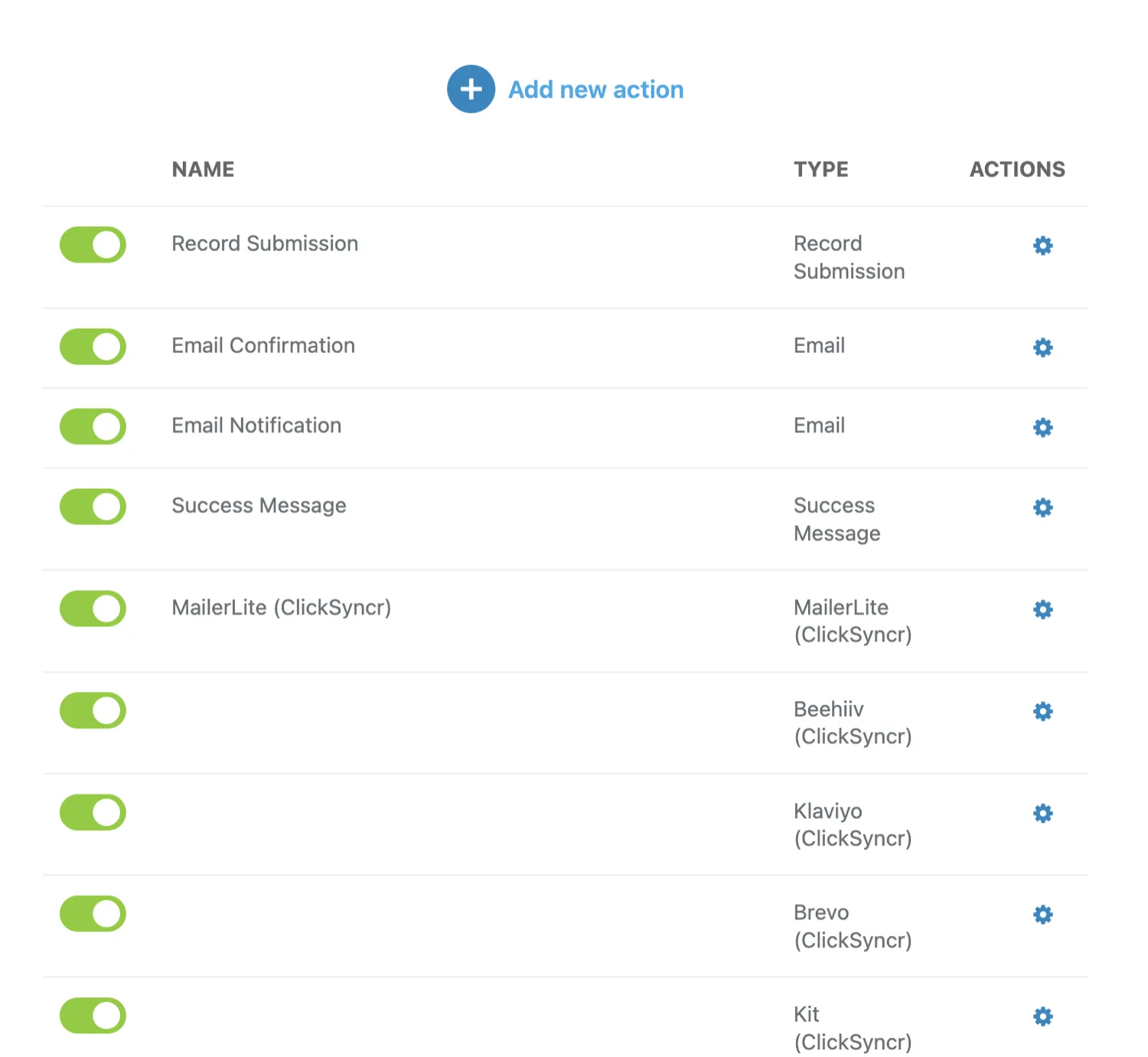
Every guide below walks the full setup in this builder, with screenshots:
ClickSyncr PRO adds Mailchimp · HubSpot · ActiveCampaign and more: browse all 20+ ClickSyncr integrations.
Whichever platform you pick, the Ninja Forms experience is identical: one shared API connection per platform, Email as the only required mapping, list fields loaded automatically with their types, no duplicate subscribers, and an admin-bar health menu that shows per-form sync counts with the last error, if any.
No. The action appears in the free Ninja Forms builder. Add it from Emails & Actions and it runs on every submission of that form.
Yes. The action is per form: only forms where you add the ClickSyncr action send subscribers, each with its own list and mapping.
ClickSyncr also works inside Contact Form 7 · WPForms · Gravity Forms · Fluent Forms · Formidable Forms · Forminator. See all supported form builders.
Your next subscriber is one connection away
Install ClickSyncr, connect your platform, and publish your first tested sync in about two minutes.
Built by Renzo Johnson